To change your password, start by going to the customer login page and follow the steps below.
- Customer login URL: https://supaexport.com/accounts/authentication/login
- Click on your profile image at the TOP-Right of your account.
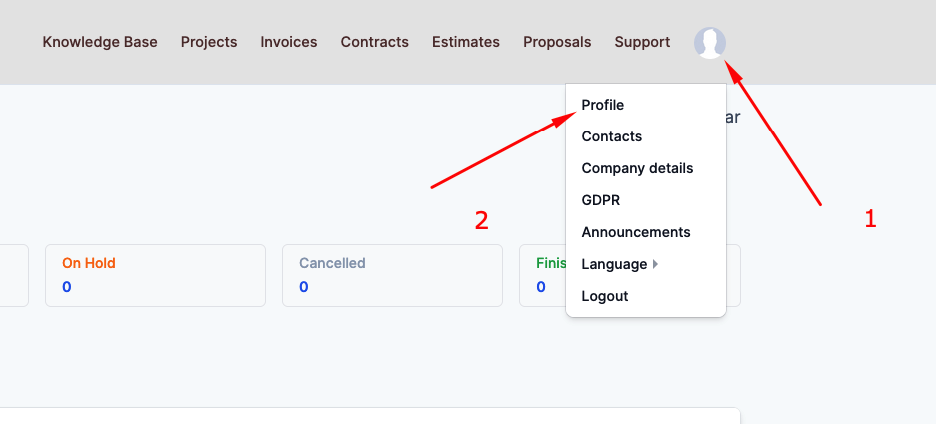
3. Click on Profile.
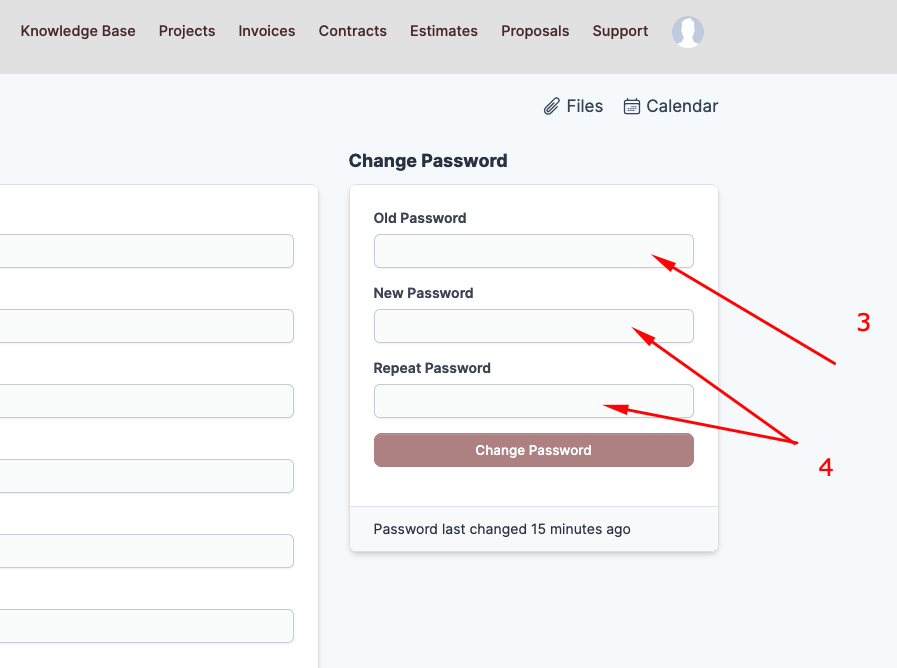
4. Type in your old password.
5. Type in your new password.
6. Type in your new password again.
7. Click the "Change Password" button.